

Are you concerned about your privacy and the security of your personal information online? Smart background checks have become increasingly popular. Understanding how they work—and why opting out matters—is essential.
Key Takeaways:
- Opting out of smart background checks helps protect your privacy and prevent identity theft.
- Avoid unwanted contact and maintain control of your personal information by opting out of smart background checks.
- You can opt out by finding the appropriate form, filling it out, and submitting it. Regularly monitoring your online presence and being cautious about what you share online can also help protect your information.
What Are Smart Background Checks?
Smart Background Checks is an online people search website that aggregates personal information from public records, data brokers, and third-party sources, including phone numbers.
These services help individuals and businesses verify the background of potential employees, tenants, or partners. By pulling data from multiple sources, Smart Background Checks offers a comprehensive overview of a person’s history. This includes criminal records, employment history, financial stability, and demographic details like age and date of birth.
The service works by scanning publicly available information and organizing it into a user-friendly format. This lets users make informed decisions based on accurate, up-to-date data. Profiles may also display relatives and household members.
How Do Smart Background Checks Work?
Smart Background Checks uses advanced search algorithms to crawl large amounts of online data. It then compiles that information into reports on individuals.
Data Aggregation and Sources
Data aggregation is central to the process. The system consolidates retrieved data from multiple public records and third-party sources into easy-to-read reports. Data brokers also contribute to these reports. Because they often refresh their databases, information you previously removed can sometimes reappear.
Search and Report Generation
Smart Background Checks leverages up-to-date technology to verify the accuracy and completeness of its reports. By drawing from various databases, it delivers a detailed overview of an individual’s background—including criminal records, employment history, and financial activities.
Why Is It Important to Opt Out of Smart Background Checks?
Opting out of Smart Background Checks is crucial for protecting your privacy and preventing potential identity theft.
Submitting opt-out requests lets you manage and safeguard your personal information before it falls into the wrong hands. In today’s digital world, data breaches and cybercrime are on the rise. Taking proactive steps to control your online presence has never been more important.
When you opt out, you assert ownership of your sensitive data. You also set boundaries that block unauthorized access. This simple action can greatly reduce your risk of identity theft and exploitation.
Protect Your Privacy
Protecting your privacy is essential in today’s digital age, especially given how easily online searches surface personal information.
In an interconnected world, the traces we leave online can affect our personal lives, relationships, and professional opportunities. A simple search query can reveal a wealth of details about you. Taking proactive steps to secure your digital footprint is critical.
Use privacy settings, practice good cyber hygiene, and stay mindful of your online activities. These habits help you maintain control over your data.
Prevent Identity Theft
Preventing identity theft means removing sensitive records—like arrest records—from public databases. This reduces the risk of fraudulent activity.
Identity thieves target public databases to acquire personal details. By proactively removing your records from public access, you lower your chances of becoming a victim of identity fraud.
Keeping these records private protects your reputation, financial stability, and overall well-being. Managing what information appears about you online is a crucial step in guarding against malicious actors.
Avoid Unwanted Contact
Controlling the visibility of your personal phone number—including in phone directories—minimizes the risk of unsolicited communication.
When your phone number is publicly available, you become vulnerable to spam calls, phishing attempts, and harassment. Exposing that information without precautions can compromise your safety.
To reduce these risks, adjust privacy settings on social media, avoid sharing contact details in public directories, and use call-blocking features on your phone. These steps significantly reduce unwanted calls and messages.
Maintain Control of Your Information
Maintaining control of your information means actively engaging with removal processes to keep your details accurate and protected.
Start by reviewing privacy settings across platforms and adjusting them to your preferences. Regularly monitoring your online accounts limits how much information the public can see.
Data privacy impacts your reputation, security, and peace of mind. Be cautious about what you share online and stay aware of risks like identity theft and data breaches.
How to Opt-Out of Smart Background Checks?
Opting out of Smart Background Checks typically takes 10 to 15 minutes. The process involves finding the opt-out form and accepting the terms for removal requests.
To start, visit the Smart Background Checks website and navigate to the opt-out section. You can usually find this in the privacy policy or FAQ page. No government-issued ID is generally required.
Find the Appropriate Opt-Out Form
Go to the website’s opt-out page and locate the removal button to begin the process. The process may require you to search for your personal information before submitting a request.
Look for a section related to privacy or data control. Opt-out forms are typically found there, either in the website footer or within specific privacy policy pages.
Read the instructions carefully. Requirements and steps vary between data brokers.
Fill Out the Form with Your Information
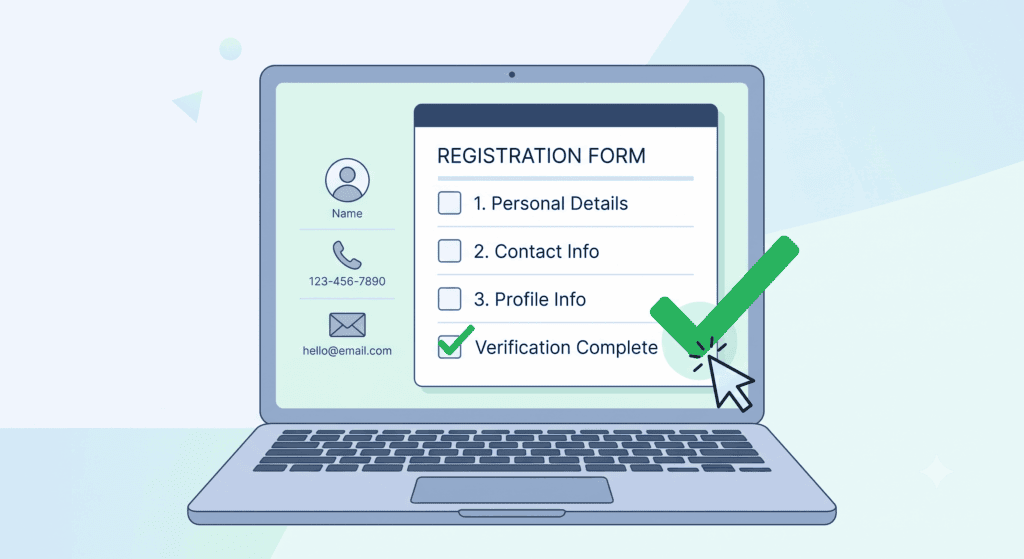
Enter your full name and city accurately. You will also need to provide a contact email address or phone number. Including old addresses can help identify the correct record if similar names appear.
Incorrect or incomplete information can delay or result in rejection of your request. Double-check all details before submitting. Including an alternative contact method, such as a phone number, helps the company verify your identity and speed up the process.
Submit the Form and Verify Your Email
Once you submit the opt-out form, Smart Background Checks will send a verification email. Many privacy guides recommend using a disposable email for this step.
Click the confirmation link in your email to finalize the removal. Save the confirmation message for your records. This step verifies that you submitted the request and prevents unauthorized removals.
Removal may occur within 72 hours of verification. Smart Background Checks may state a 3–5 business-day processing window. Some users report delays—282 complaints have been filed with the BBB—so keep records of your submission.
What Information Can You Remove from Smart Background Checks?
You can request the removal of personal information, contact details, employment history, and criminal records from Smart Background Checks.
Personal Information
Personal details can be removed by clicking the designated “Start Removal” button on your profile page.
Many people don’t realize how much information online databases hold about them. Removing your personal details reduces your risk of identity theft and privacy breaches. Once you click “Start Removal,” the system initiates the removal procedure and scrubs sensitive information from its database.
Contact Details
Removing contact information—like addresses and phone numbers—limits exposure of personal data from public records.
When your contact details are publicly accessible, third parties can locate you and potentially misuse your information. This opens the door to spam calls, unsolicited messages, targeted marketing, and security breaches. Taking this step protects your online privacy and contributes to a safer digital presence.
Employment History
Business owners and professionals especially benefit from removing employment history from public databases.
Accessible employment records make individuals vulnerable to privacy breaches and identity theft. To request removal, contact previous employers or relevant HR departments to ask about their data retention policies. You may also want to consult a legal or privacy professional to understand the steps involved in expunging employment records from official sources.
Protecting your professional history matters in a digital age where information spreads quickly and can easily be misused.
Criminal Records
Removing criminal records—including arrest records—is critical. These details are easily accessible and can damage your personal reputation and security.
A visible criminal record on Smart Background Checks can affect job opportunities, housing options, and educational prospects. This creates unfair biases that hinder your ability to move forward.
Eliminating these records helps you regain control of your own narrative and reduces the risk of unjust discrimination. Everyone deserves a fair chance at a fresh start.
How Long Does It Take for Your Information to Be Removed?
Removal timelines vary depending on the complexity of the opt-out process and the information being removed.
After you submit a request, Smart Background Checks typically starts the process promptly. Several factors affect the timeline: the volume of current requests, the accuracy of the information you provided, and the identity verification process. Verification is a key step that confirms the legitimacy of the request.
The nature of the information also plays a role. Contacting the platform’s support team directly can help you get status updates and potentially speed things up.
Are There Any Other Ways to Protect Your Information?
Yes. Beyond opting out of Smart Background Checks, you can submit manual removal requests to other data broker sites. Keep in mind that you may need to repeat these requests when data refreshes.
Regularly Monitor Your Online Presence
Use search forms on people search websites to track your visibility online and catch any discrepancies. You can also check people search databases for profiles tied to your name.
Taking control of how your data appears online is essential. It affects your professional opportunities and personal safety. If you find a matching profile, document the exact URL. Review each listing separately if multiple profiles appear. Regular checks help you proactively manage your digital footprint.
Staying vigilant allows you to identify and correct inaccuracies before they cause harm. It also helps you maintain a positive online reputation.
Leverage Privacy Settings
Adjust privacy settings on social media platforms to control who sees your posts, photos, and personal information. This limits unauthorized access and reduces the risk of identity theft, fraud, and online harassment.
Removing your data from public sources adds another layer of protection. It reduces the chance of sensitive information being exposed without your knowledge.
Be Cautious About What You Share Online
Use free scans and, when needed, continuous monitoring across data broker sites to limit how widely your personal details spread.
Managing your online visibility helps you compartmentalize your digital footprint. It keeps your information private while you engage in everyday online activities. Staying proactive in this area is especially important in today’s interconnected world.
Frequently Asked Questions
What is the purpose of a Smart Background Checks Opt-Out?
The purpose is to give individuals control over their personal information and prevent it from appearing in background check services.
How do I opt out of Smart Background Checks?
Visit their website and follow the instructions to remove your information. Search for your record, select the listing you want removed, and use the site’s “Request Removal” option to submit your request.
Do I need to have a reason to opt out of Smart Background Checks?
No. You have the right to privacy and can request removal of your information at any time without providing a specific reason.
Will opting out remove my information from all background check services?
No. Opting out of Smart Background Checks only removes your information from their database. You may need to opt out of other background check services and data brokers separately.
Is there a fee to opt out of Smart Background Checks?
No. Opting out is a free service.
What happens to my information after I opt out?
Your information will be queued for removal, though it may stay live briefly. If a record remains visible after the stated processing window, recheck the listing and submit another request. Your information may still appear in other sources, such as property records, so monitor other background check services regularly. Some data brokers also sell information to third parties, so separate opt-outs may still be necessary.